How to Use WhatsApp Without Saving a Number
WhatsApp builds its chat list from your contacts, which makes it look like every conversation has to start with a new contact card. It doesn't. Here are the four methods that work, ranked by how much effort they cost.
Why WhatsApp seems to require a contact
WhatsApp's new-chat screen is a mirror of your address book. If a number is not in your contacts, it will not appear in that list and the in-app search will not find it. That is a limitation of the picker, not of the service itself — the underlying conversation only ever needed a phone number.
Every method below is a different way of handing WhatsApp the number directly, bypassing the contact picker.
Method 1: a chat link in your browser
This is the standard approach and needs nothing installed.
- Write the number in international format — country code first, digits only, no plus sign and no leading zero. For example 447911123456.
- Open Safari and go to
https://wa.me/447911123456. - Tap the button to continue in WhatsApp.
- Check the number at the top of the conversation, write the message and send.
To arrive with a message already written, append ?text= and your text. The link generator on this site does the encoding for you and never sends the number anywhere.
Method 2: share or forward the number
If the number reached you inside another app — an email, a listing, a note — you can often use the system share sheet to hand it to WhatsApp, or paste it into a chat with yourself and tap it there. WhatsApp recognises phone numbers in message text and offers to open a chat. It is clumsier than a link but useful when you cannot type.
Method 3: reply from a group chat
If you share a group with the person, tapping their name in the participant list opens a one-to-one conversation with them without saving them. This is the easiest route when it applies, and worth checking before anything else.
Formatting the number correctly
Nearly every failed attempt comes down to formatting. Two rules cover it: put the country code first, and delete the national trunk prefix.
| Country | Local format | Correct for a link |
|---|---|---|
| United Kingdom | 07911 123456 | 447911123456 |
| Spain | 612 345 678 | 34612345678 |
| Morocco | 0612 345 678 | 212612345678 |
| UAE | 050 123 4567 | 971501234567 |
| United States | (415) 555-0132 | 14155550132 |
Spain, the United States and a few others have no trunk prefix to remove, which is why copying a Spanish number straight in usually works and a British one usually doesn't.
Method 4: a dedicated iPhone app
If you do this more than once or twice a week, the browser route becomes the slow part. Click to Chat is an independent iPhone utility that assembles the link for you: choose the country from a list, type the local number, tap Open WhatsApp. The formatting rules above are applied automatically.
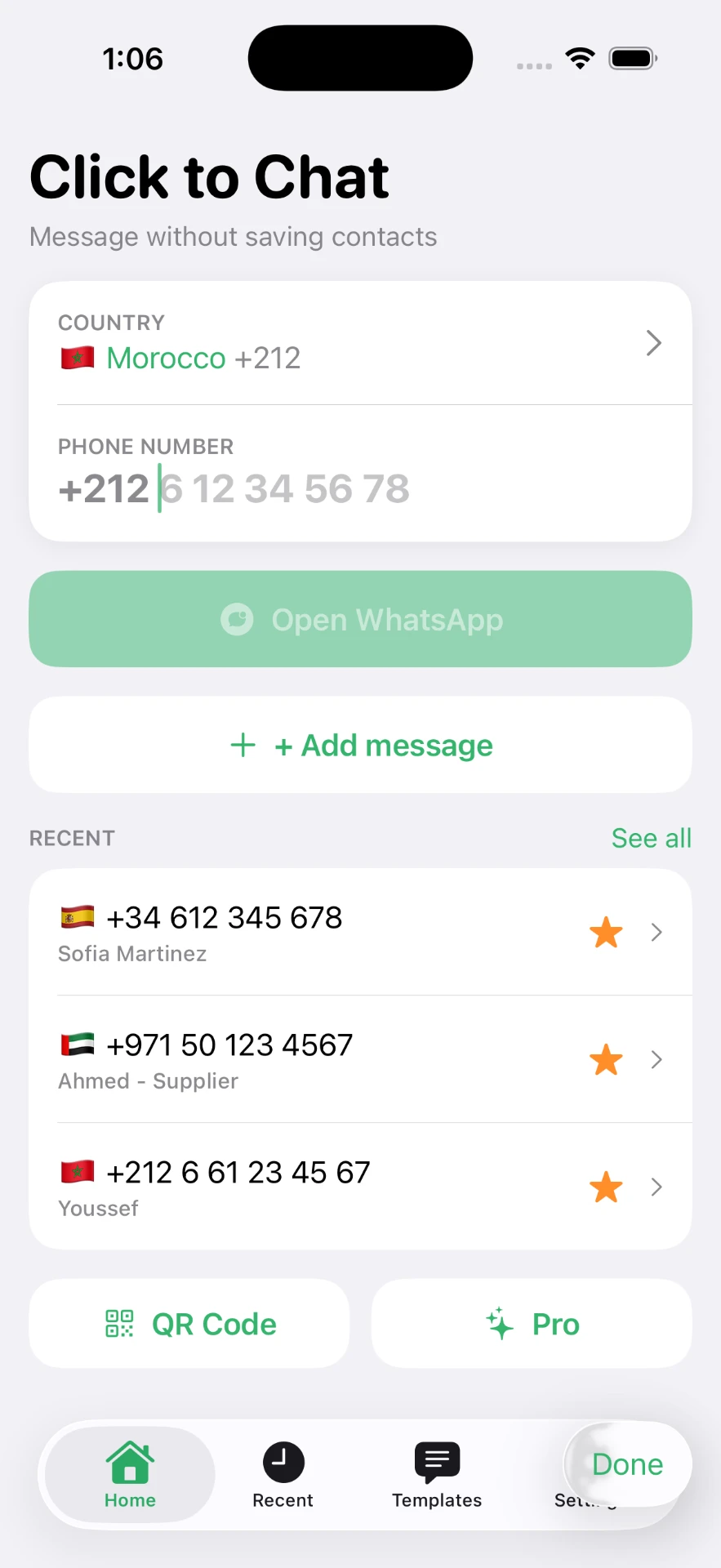
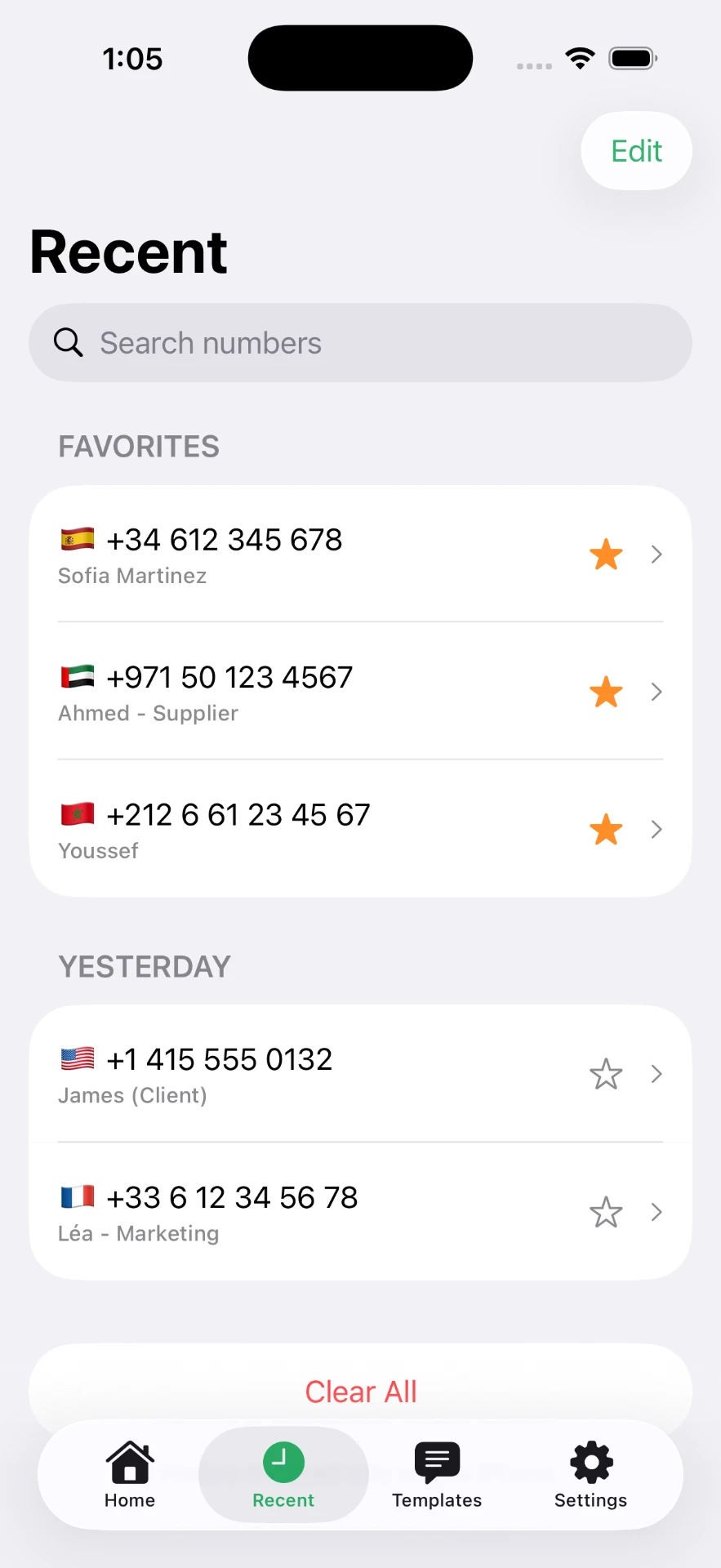
It also keeps the things a plain link cannot: recent numbers grouped by day, favorites for the numbers you use constantly, and saved templates for replies you send over and over.
What this does and does not hide
Being clear about this matters. Not saving a number keeps your address book clean and stops one-off numbers syncing across your devices. It does not make you anonymous: the recipient still sees your phone number and profile exactly as they would otherwise, and your message is delivered through WhatsApp in the normal way.
The Click to Chat app does not need access to your contacts to open a chat, and your recent numbers, favorites and templates are kept in the app on your iPhone. Details are in the privacy policy.
Continue with the iPhone-specific walkthrough, the step-by-step sending tutorial, or learn what click to chat means.
Frequently asked questions
Can I use WhatsApp with a number I have not saved?
Yes. WhatsApp supports opening a conversation from a link that contains the number in international format, so the number does not need to exist in your contacts.
Why can't I find the number in the WhatsApp search box?
The in-app search only looks through contacts and existing chats. A number you have never messaged and never saved will not appear there — a chat link is the way in.
Does the other person need to have my number saved?
No. They will receive the message and see your number, just as with any message from someone not in their contacts.
What happens if the number has no WhatsApp account?
The link opens and WhatsApp reports that the number is not on the service. Nothing is sent and no contact is created.
Is Click to Chat made by WhatsApp?
No. Click to Chat is an independent iPhone utility. It is not affiliated with, sponsored by, or endorsed by WhatsApp LLC.
Will the chat stay in my chat list?
Yes, as an ordinary conversation labelled with the phone number instead of a name. You can delete the chat at any time; your contacts app is not involved.
Click to Chat is an independent utility and is not affiliated with, sponsored by, or endorsed by WhatsApp LLC. WhatsApp is a trademark of its respective owner.