
Calling a WhatsApp Number You Have Not Saved
WhatsApp hides its call buttons inside conversations, which is why calling an unsaved number feels impossible. Open the conversation first and the buttons are right there.
How it works
There is no call-specific link. Every official WhatsApp URL opens a chat, and the voice and video icons live in that chat's header. So the recipe is: open a conversation with the number, then call from inside it. No contact is created at any point.
Placing the call
- Write the number as country code plus digits, with no plus sign, spaces or leading zero — the country code list helps here.
- Open
wa.me/<number>in your browser and tap Continue to Chat. - In the conversation, tap the phone icon for voice or the camera icon for video.
If the link refuses to open, the number is almost certainly misformatted rather than missing from WhatsApp — the chat-opening guide lists the usual mistakes.
Skipping the retyping
Reformatting a number in a browser bar every time you need to call someone once is the part that wears thin.
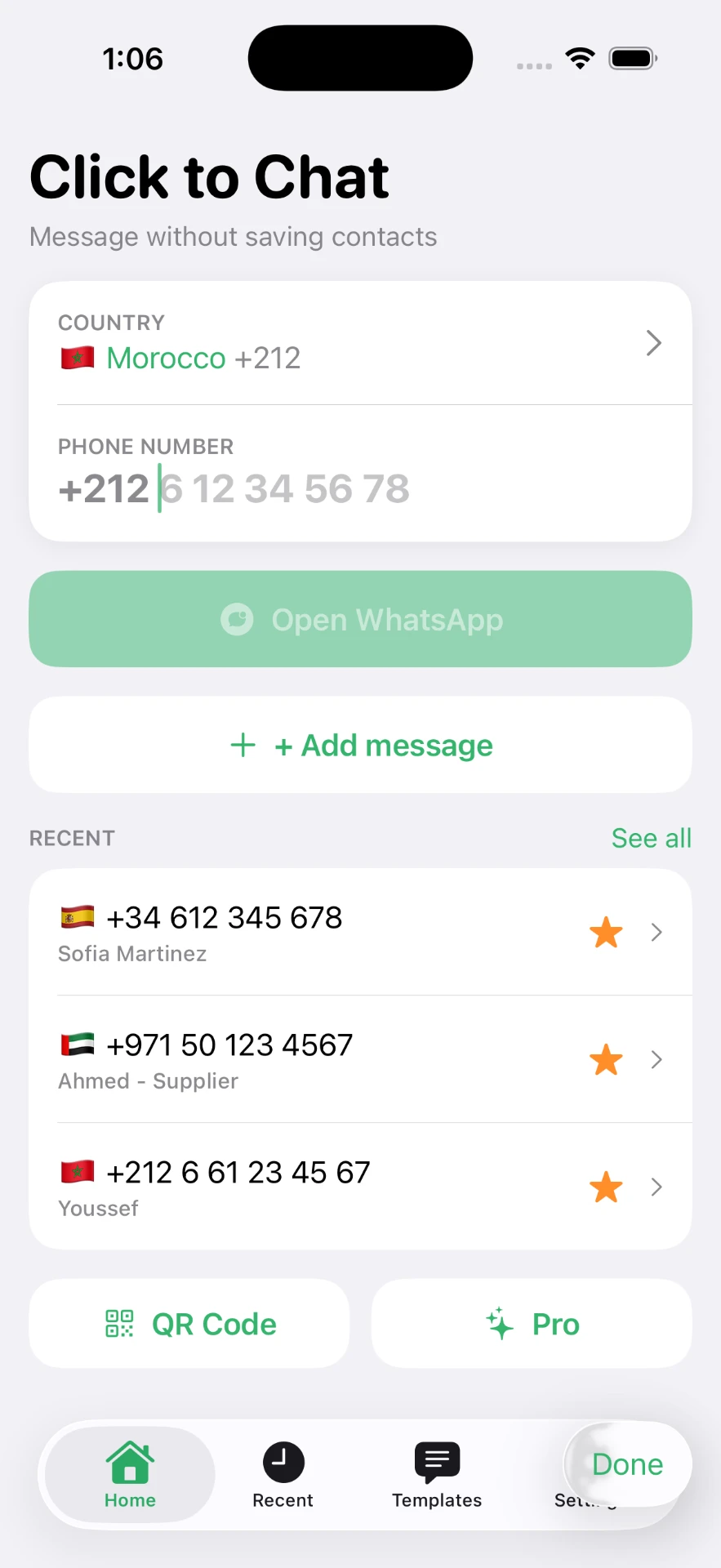
Click to Chat opens the conversation from a country picker and a number field, so the call is two taps away and your address book stays untouched. See the features page for the recents list that keeps numbers you call more than once.
What you cannot do
- Hide your number. The recipient always sees the calling account's number.
- Call someone who is not on WhatsApp. The link will report the number as unavailable.
- Call from WhatsApp Web links reliably. Desktop calling depends on the desktop app — the WhatsApp Web guide explains the differences.
If the number called you first, you can simply open the existing thread instead — see replying to an unknown number.
Frequently asked questions
Can I make a WhatsApp call without saving the number?
Yes, indirectly. Open a chat with the number through a wa.me link, then tap the call icon inside that conversation. The call button lives in the chat, so the chat is all you need.
Is there a direct call link for WhatsApp?
No. WhatsApp does not publish a URL that starts a voice or video call. Every documented link opens a conversation, and the call is placed from there.
Does the person see my number when I call?
Yes. WhatsApp calls always reveal the calling account's number, exactly like a chat message. There is no hidden-number mode.
Can I video call an unsaved number?
Yes — the video icon sits next to the voice icon in the same conversation, and neither requires a contact entry.
Will the call appear in my call history?
Yes, listed by number rather than by name, and it stays there until you clear it.
Click to Chat is an independent utility and is not affiliated with, sponsored by, or endorsed by WhatsApp LLC. WhatsApp is a trademark of its respective owner.