How to Open a WhatsApp Chat Without Saving the Number
You have a number, you need one conversation, and you would rather not create a permanent contact for it. WhatsApp supports this directly — the mechanism is a link, not a hidden setting.
The fastest way
Type a link of the form https://wa.me/<number> into your browser, where the number is the country code followed by the subscriber number and nothing else — no plus sign, no spaces, no leading zero. Opening it hands the conversation to WhatsApp.
A UK number written locally as 07700 900123 becomes wa.me/447700900123. The full rules live in the wa.me link format reference, and the link generator builds one for you if you prefer not to think about it.
Step by step
- Copy the number and remove every character that is not a digit.
- Drop the leading zero of the local number and put the country code in front — check it against the country code list if you are unsure.
- Paste it after
wa.me/in Safari, Chrome or any browser and open the link. - Tap Continue to Chat. WhatsApp opens the conversation.
Add a first message to the link with ?text= and the conversation opens with the message already typed: wa.me/447700900123?text=Hi%20there.
Doing it in one tap
The link method works, but it asks you to reformat a number and edit a URL every single time. Click to Chat replaces that with a country picker and a number field on the first screen.
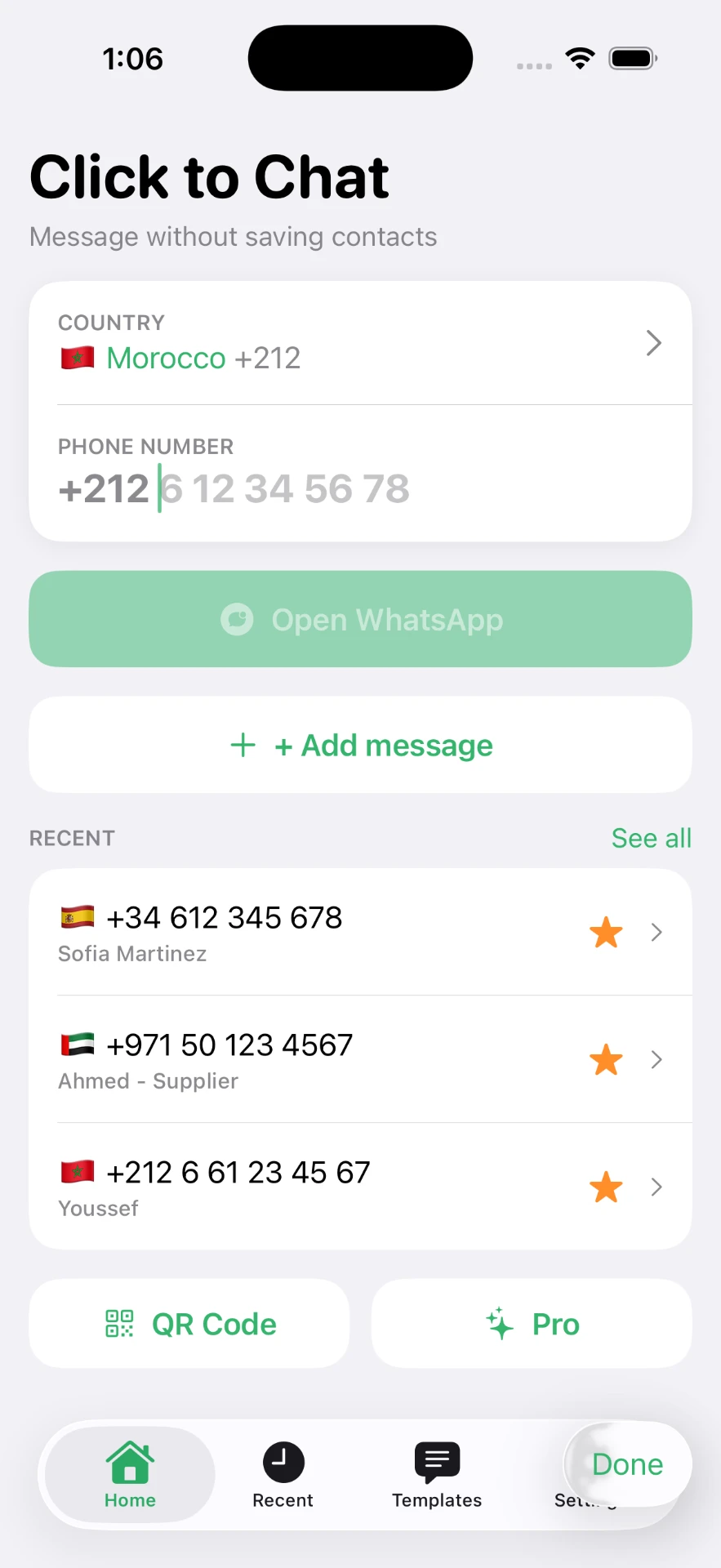
The country code is applied for you, the number is normalised, and the chat opens without an address book entry. Numbers you use again land in a recents list — see the feature overview and messaging an unsaved number.
When it does not open
- "Phone number shared via url is invalid" — a formatting problem. Rebuild the number as country code plus digits only.
- "…is not on WhatsApp" — the digits are valid but no account uses that number. Double-check the country code before assuming the person is not on WhatsApp.
- The link opens WhatsApp Web instead of the app — expected on desktop. The WhatsApp Web guide covers that flow.
For the wider picture — group members, business accounts, iOS Shortcuts — start from the main guide.
Frequently asked questions
How do I open a WhatsApp chat without saving the number?
Open a wa.me link containing the number in international format — for example wa.me/447700900123. WhatsApp opens the conversation directly, and nothing is written to your address book.
Do I need an app to open a chat without saving a number?
No. A browser and a correctly formatted link are enough. An app like Click to Chat mainly saves you from retyping the country code and rebuilding the link every time.
Why does WhatsApp say the phone number is invalid?
Almost always a formatting problem: the country code is missing, a leading zero was kept, or spaces, dashes and brackets were left in. Strip everything except digits and start with the country code.
Will the person see that I did not save their number?
No. The chat looks identical on their side. Whether a number sits in your contacts is local to your phone.
Does the chat stay in my chat list afterwards?
Yes. The conversation stays, labelled with the number instead of a name, until you delete it.
Click to Chat is an independent utility and is not affiliated with, sponsored by, or endorsed by WhatsApp LLC. WhatsApp is a trademark of its respective owner.